
By Dana’s Desk | Guest contributor
There’s a moment that happens after every event you deliver.
The timeline ran smoothly. The contract was smoothly signed and managed through Rock Paper Coin. Payments came in on time. You executed everything the client hired you for and then some. The gallery went live, you sent the final email, and you closed out the project.
And then you moved on to the next one.
That work, all of it, stopped working the moment you moved on.
| The event is over. But the content from it doesn’t have to be. |
Here’s what most wedding professionals haven’t considered: every contract you process represents a real event, with real images, real details, and real keywords that your next client is actively searching for right now. Pinterest is where that search is happening. And your past work is exactly what those clients need to find.
This post will show you how to make the connection between the client you just booked and the client you want to book next.
Pinterest Isn’t Social Media. It’s A Search Engine
Before we talk about content, let’s clear something up because this reframe changes everything.
Pinterest does not work like Instagram or TikTok. You are not posting to entertain a following, stay top of mind, or ride an algorithm. There are no trends to chase, no reels to film, no “posting at optimal times” to stress about.
Pinterest is a search engine. Couples go there to find something specific from a venue style, a color palette, a ceremony setup, a photographer’s aesthetic. They’re not browsing passively. They’re in active research mode, building a picture of what they want before they ever reach out to a vendor.
| Your next client is on Pinterest right now describing exactly what you already do. |
That distinction matters because it changes what you’re building. On Instagram, you’re feeding content to people who already know you exist. On Pinterest, you’re placing content in the path of people who haven’t found you yet, people whose search terms align perfectly with the work you’re already creating.
The content doesn’t expire. A pin you create today can be found six months from now, a year from now, three years from now, by someone who is looking for exactly what you offer.
That’s not social media. That’s infrastructure.
The Content Is Already There. You Just Haven’t Used It Yet.
Here’s the part that changes the way you think about your business: Every project that moves through Rock Paper Coin is a content asset. The contract details, the gallery, the venue, the aesthetic, all of it is raw material for Pinterest content that can drive discovery for months.
Most wedding professionals think they don’t have time for marketing. What they actually don’t have is a system for turning what they’re already doing into content. Those are very different problems.
What a single booked contract contains:
- A venue — with a style, a setting, a geographic region
- An aesthetic — romantic, modern, bohemian, classic, garden party
- A color palette — blush and burgundy, ivory and sage, terracotta and copper
- Specific moments — ceremony arch, sweetheart table, getting ready details, first look
- Real images — high quality, professional, already edited
- A link — to a gallery, a portfolio page, a blog post
Every one of those elements is searchable on Pinterest. Every one of them is something your next client might type into a search bar.
You are sitting on months of content. You just need a way to extract it.
From Contract to Content: The Simple Translation
The process doesn’t need to be complicated. Here’s a straightforward way to think about it.
When a project closes inside Rock Paper Coin, that’s your cue. Not your cue to start a complex content strategy just your cue to pause and ask one question:
| If my ideal client searched for this event on Pinterest, what would they type? |
That question is the entire framework. Everything else follows from it.
Step 1: Pull the language from the project.
Look at the event you just delivered. Identify the descriptive words that apply to it, not the personal details (the couple’s names, the inside jokes, the custom vows), but the searchable details that another couple might use to describe their own vision.
What were the standout details — the ones that would stop someone from scrolling?
What type of venue was it?
What was the color palette?
What style words describe the overall aesthetic?
Step 2: Choose 5 images
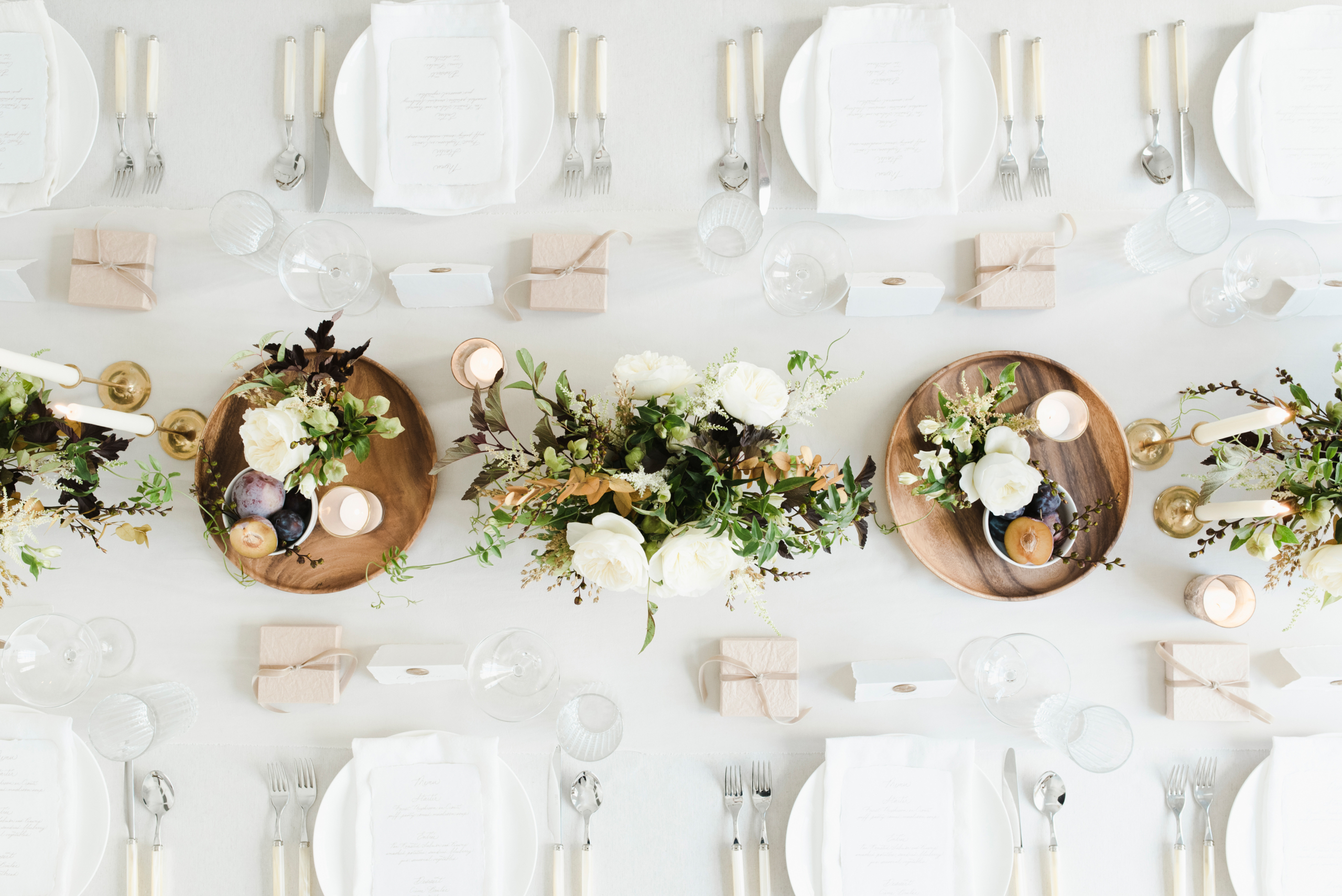
From the gallery, select five strong, vertical images. Prioritize detail shots, styled elements, and atmospheric moments over posed group photos. The images that work best on Pinterest are ones that communicate style immediately — a tablescape, a ceremony moment, an editorial detail.
Step 3: Title each one like a search result
This is the step most people skip and it’s the one that makes everything work.
Each pin needs a title that reflects how someone would search for that image, not how you would caption it. The difference looks like this:
| Caption thinking: “Gorgeous golden hour with the Hendersons — a day I’ll never forget.” Search thinking: “Romantic Outdoor Wedding with Terracotta Florals — Vineyard Venue, Virginia” |
The second version is what Pinterest surfaces. The first version is invisible to anyone who doesn’t already know you.
Step 4: Link back to the gallery or portfolio
Every pin should point somewhere. If you have a gallery hosted online, a styled blog post, or a portfolio page you need a link to it. This turns a pin into a pathway. Someone finds your image, clicks through, sees your full body of work, and now they know your name.
The Rock Paper Coin Connection
This is where the two systems start working together in a way that’s genuinely useful.
Rock Paper Coin is where your client work is organized and managed. Every contract, every payment, every project lives there. It’s your operational home base.
Pinterest is where that same work becomes visible to future clients before they ever find your website, before they submit an inquiry, before they know your name.
| RPC helps you book the client. Pinterest helps the next client find you. |
Think of it as a loop. You book a client through your inquiry process, manage the entire relationship inside Rock Paper Coin, deliver excellent work, close out the project and then that project becomes content that attracts the next client.
The work doesn’t end when the event ends. It becomes an asset.
| A simple rhythm to build: Project closes in RPC → Pull keywords from the gallery → Create 5 pins → Link back to the gallery or portfolio → Repeat with the next project. |
That’s not a complex marketing strategy. It’s a small, repeatable habit that builds compounding visibility over time without requiring you to be on social media constantly, film yourself, or start from scratch every week.
What Consistency Actually Builds
Let’s be clear about what we’re talking about when we say Pinterest builds visibility over time.
This is not an overnight thing. Five pins from one gallery will not transform your inquiry rate in a week. But five pins from one gallery, repeated across ten galleries over the course of a year, creates something that does.
- Pinterest boards develop search authority as the platform recognizes you as a consistent, keyword-rich source in your niche.
- Strong pins get re-saved by other users, extending their reach far beyond your own followers — at no additional effort from you.
- Clients arrive at your website having already encountered your work, already aligned with your aesthetic, already partially sold.
- Your presence grows without you having to feed it every day.
That last point is worth sitting with. Most marketing requires constant input to maintain output. Pinterest is one of the few platforms where past effort continues to pay forward and where the content you created six months ago can still be driving traffic today.
For wedding professionals who are already stretched thin managing real client work, that’s not just a nice-to-have. It’s a meaningful difference in how marketing feels.
Where Most Pros Get Stuck
The concept makes sense. Most people who read this will agree that it’s a smart approach. And then life gets busy, the next client needs attention, and Pinterest gets pushed to “next month.”
Next month becomes the month after that.
This isn’t a motivation problem. It’s a structural problem.
The pros who actually build Pinterest visibility aren’t the ones who are most motivated. They’re the ones who have a clear enough process that it doesn’t require motivation — it just requires following a short, repeatable sequence when a project closes.
The concept makes sense. Most people who read this will agree that it’s a smart approach. And then life gets busy, the next client needs attention, and Pinterest gets pushed to “next month.”
Next month becomes the month after that.
This isn’t a motivation problem. It’s a structural problem.
| Consistency isn’t about showing up every day. It’s about having a clear enough process to return to. |
The extraction step of pulling the searchable language from each gallery is where most people get stuck. Not because it’s hard, but because without a framework, it becomes another open-ended decision to make in an already full week.
Once that piece is solved, the rest of the process becomes manageable. The titles come from the keywords. The links already exist. The images are already edited. You’re not creating anything new, you’re organizing what’s already there.
Start With What You Already Have
If you’ve been managing client work in Rock Paper Coin, you already have everything you need to start on Pinterest this week.
You have galleries. You have images. You have details that describe real events in real venues with real aesthetics that real clients are searching for.
The starting point is one gallery. Not a full strategy, not a complete board structure, not a perfectly optimized profile. Just one gallery, five images, and the question: what would someone type to find this?
To Get Started:
- Choose one gallery from a recently completed project.
- Write down 5–7 descriptive words or phrases that reflect the venue, style, color, and moments.
- Select five vertical images that communicate that aesthetic clearly.
- Title each pin using those searchable words — location, style, palette.
- Link each pin back to the gallery or your portfolio.
- Post them. Done.
That’s the first step. Not a system, not a strategy, just a starting point. And starting is the thing that most people never do.
If you want a structured way to work through this, we put together a free starting guide specifically for Rock Paper Coin users — Launch Your Pinterest in a Weekend. It walks you through the keyword extraction process and gives you a two-day plan to create your first five pins. Download it from the Resources page in your RPC account. Don’t have an account? Sign up ? here!
Want a Process That Makes This Easier?
Dana’s Desk teaches Pinterest as a search engine and builds systems that help wedding professionals turn their client work into ongoing visibility without the overwhelm.
If you want support with the consistency piece, a clear, repeatable process for turning each Rock Paper Coin project into Pinterest content, the Styled Pin Collection is built for exactly that.
Each month, members receive keyword guidance, pin title formulas, and styled templates designed around current search trends in the wedding industry. No starting from scratch. No decision fatigue. Just a structure you can apply to your own galleries and post.
| If you want this to feel like a system instead of a task, learn more ? here |
Your work is valuable even after the event ends
Rock Paper Coin helps you run it. Pinterest helps people find it. Together, they close the loop between the client you just served and the client who’s looking for you right now.
Start with one gallery. See what happens.
— Dana
About Dana’s Desk
Dana’s Desk teaches Pinterest as a search engine and visibility as structure, not volume. We help wedding professionals build evergreen marketing systems that grow over time, so their work keeps working long after the event ends.
Learn more at ddvirtualmanagement.com